










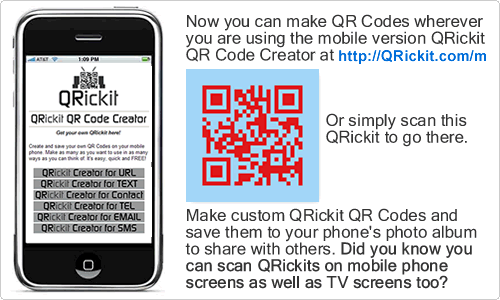
A QR Code (a.k.a. QRickit) is a square barcode that can be scanned using the camera of your smartphone or tablet. Since it is a free and open technology, anyone can make and use QR Codes for personal and business purposes. By scanning a QR Code, a mobile user can instantly get data - such as a URL (online content), text, calendar event, map location, someone's contact info, and more. Use the QRickit QR Code Creator to make your own custom QR Codes to use with family, friends and for business. See how QRickits are being used around the world. QRickit is FREE! QRickit's mission is to meet people around the world and help them to understand and use QR Codes in their daily lives. |
 |
Quickly and easily create custom QR Codes that you can save to your computer or phone,
display online, print, and share with others. |
 |
URL QR Code: Create a QR Code with any link (URL). When scanned the user can easily view/open a website, social media link, a video on YouTube (or other platform), a song or playlist on Spotify/Apple Music (or other platform), an app, product page, shop, or almost anything online that has a URL. This is the most popular type of QR Code used. It lets people easily access online content on their phones and tablets. Save your QR Code to your phone, display it online, or print it. |
 |
Social Media QR Code: Create a QR Code with all your social media links like Instagram, X, YouTube, TikTok, LinkedIn, Facebook, or any link. You can add your name (or nickname) and email address too. When people scan your QR Code they can save you and your links to their contacts and/or go to your links. Save your Social Media QR Code to your phone, display it online, or print it. * I used the QRickit QR Code Creator for Contacts (vCard) to create the example Social Media QR Code. I downloaded the jpg and then placed the QRickit logo on top using Photoshop. I tried different logo sizes and made sure it was still readable by scanning it with my smartphone. You too can customize, colorize, and stylize your QR Code using any image-editing software. Read more |
 |
Calendar Event / Reminder QR Code for iOS: Create a QR Code to set a static or repeating calendar event with alert/reminder. Let people easily add your event and reminder to their phone's calendar. Save your QR Code to your phone, display it online, or print it. * Scan the example on the left. It sets the calanedar events and a reminder 1 hour before a language class that occurs every first Monday of the month from Aug-Dec, 2022. You can customize the QR Code for your specific event and requirements. I used the QRickit QR Code Creator for Calendar Event to create the example. |
 |
Contact Info (Business Card) QR Code: Create a QR Code with your selected contact info. Other people can scan it to easily add you to their phone's contacts and follow your links. You can include info such as your name, nickname, company, position, email, tel, address, website / social media links, and even a photo. Create several QR Codes with different info to use in situations where you want or don't want to share certain info. Save your QR Code to your phone, display it online, or print it on a business card. * I used the QRickit QR Code Creator for Contacts (vCard) to create the example |
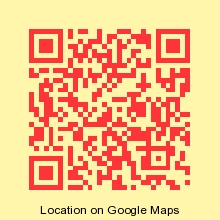 |
Google / Apple Maps QR Code: Create a QR Code with an address or coordinates (latitude, longitude). When scanned, the user can view a location on Google / Apple Maps and get directions. Save your QR Code to your phone, display it online, or print it. |
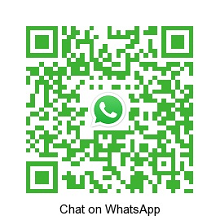 |
WhatsApp QR Code: You can create a QR Code with your WhatsApp "Click-to-Chat" link (URL) like the example here. To create/get your link see below or the WhatsApp FAQ. You can also create a QR Code for Contact Info (Business Card). Just add your WhatsApp "Click-to-Chat" link in the "Other Link" field. Create QR Code for URL | Create QR Code for Contact Info * How to create your WhatsApp "Click-to-Chat" Link Use https://wa.me/<number> and replace <number> with your phone number including international country code without any starting zeroes, brackets, or dashes. e.g. https://wa.me/1234567890 To include a message use https://wa.me/<number>?text=<urlencodedtext> and replace the <urlencodedtext> with your message using the + sign instead of spaces. e.g. https://wa.me/1234567890?text=This+is+an+example |
Share QRickit with your Friends, Family and Colleagues!
| Tweet | Check |
 |    |
Featured QRickit Video
If
you find QRickit useful, please make a donation so QRickit can continue to provide
this free public web service.
Donations can be made by PayPal and
other major credit cards.
QRickit also offers a free QR Code API so you can dynamically generate and display QR Codes on your website, blog, emails, or online application.
Learn more about QR Codes and follow QRickit on social media.


JAPANESE TERMS & CONDITIONS MOBILE
Copyright
© 2008-2024 JICS MEDIA
QR Code ® is a registered trademark of
DENSO WAVE INC.
in JAPAN and other countries.
QRickit
is a free online service provided by JICS
MEDIA to promote the understanding and use of QR Codes around the world.